Which Smartphone RAM and Storage Should You Choose? A Complete Buyer’s Guide
Choosing a smartphone is no longer just about picking a brand, camera, or attractive design. Instead, RAM and storage have become two of the most important specifications to consider because they directly affect how smoothly your phone performs and how much content you can keep on it. However, with options ranging from 4GB to 24GB of RAM and 64GB to 1TB of storage, knowing what you actually need can be confusing.
Therefore, this smartphone RAM guide explains the difference between RAM and storage, how much you need for everyday use, gaming, photography, content creation, and work, and what you should consider before spending your money. Most importantly, you will learn how to choose a configuration that gives you good performance without paying for specifications you may never use.
What Is Smartphone RAM?
RAM stands for Random Access Memory. It is the temporary memory your smartphone uses to keep applications and processes running. Consequently, having enough RAM allows your phone to handle multiple applications more comfortably.
For example, if you open WhatsApp, Chrome, YouTube, Instagram, and a note-taking application, your phone uses RAM to keep these applications available. When there is insufficient RAM, the smartphone may need to reload applications when you switch between them.
However, more RAM does not automatically mean that a smartphone is better. The processor, software optimization, storage technology, and operating system also influence overall performance. Therefore, this smartphone RAM guide recommends looking at RAM as part of the complete hardware package rather than judging a phone by its RAM number alone.
What Is Smartphone Storage?
Storage is different from RAM because it is where your smartphone permanently keeps your files and applications. Your photos, videos, music, documents, games, downloaded movies, and applications all occupy storage space.
For instance, a smartphone with 128GB of storage can hold considerably more content than a 64GB model. Nevertheless, the amount of usable space will always be lower than the advertised capacity because the operating system and pre-installed applications occupy some of the storage.
Moreover, modern smartphones increasingly use faster storage technologies, which can improve application loading and file transfer speeds. As a result, storage capacity and storage speed are both worth considering when comparing smartphones.
RAM vs Storage: What Is the Difference?
Although RAM and storage are sometimes confused, they perform completely different jobs.
| Feature | RAM | Storage |
|---|---|---|
| Main purpose | Temporarily handles active apps and processes | Permanently stores files and apps |
| Affects | Multitasking and app performance | How many files and apps you can keep |
| Data retention | Temporary | Permanent |
| Common capacities | 4GB, 6GB, 8GB, 12GB, 16GB | 64GB, 128GB, 256GB, 512GB, 1TB |
| Important for | Multitasking, gaming, productivity | Photos, videos, apps, games, documents |
| Can it be upgraded? | Usually no | Usually no, although some phones support microSD |
In simple terms, RAM helps your phone work, while storage helps your phone keep things. Therefore, the ideal smartphone needs a sensible balance of both.
How Much RAM Do You Need?
The right amount of RAM depends largely on what you do with your smartphone. Consequently, there is no single RAM capacity that works for everyone.
4GB RAM
4GB RAM is generally suitable for basic smartphone users. It can handle activities such as:
- WhatsApp and messaging
- Phone calls
- Light web browsing
- Social media
- Music streaming
- Basic photography
However, phones with 4GB RAM may struggle with demanding games and heavy multitasking. Therefore, this configuration is best suited to users who want an affordable smartphone for simple everyday tasks.
6GB RAM
6GB RAM provides a more comfortable experience for everyday smartphone users. In addition, it gives you more room for switching between applications without frequent reloads. It can be suitable for:
- Social media
- Online learning
- Browsing
- Video streaming
- Video calls
- Light gaming
- Everyday productivity
For many budget-conscious buyers, 6GB can provide a practical balance between price and performance.
8GB RAM
8GB RAM is a strong choice for most smartphone users in 2026. It offers enough memory for demanding multitasking while also providing room for more resource-intensive applications. This smartphone RAM guide considers 8GB a good starting point for users who want a phone that can comfortably handle productivity, entertainment, gaming, and everyday multitasking. It is particularly suitable for:
- Students
- Professionals
- Social media users
- Gamers
- Content consumers
- Multitaskers
Consequently, if your budget allows, choosing 8GB instead of 4GB or 6GB can provide a more comfortable long-term experience.
12GB RAM
12GB RAM is aimed more at power users. It can be useful when you frequently switch between demanding applications, play graphics-intensive games, edit videos, or use your smartphone for professional work.
Furthermore, higher RAM capacity can help demanding applications remain active in the background. However, not everyone will notice a major difference between 8GB and 12GB during ordinary use. Therefore, 12GB makes more sense if your workload actually requires it.
16GB RAM and Above
Smartphones with 16GB, 18GB, or even more RAM are increasingly available, particularly among gaming and premium devices. Nevertheless, most users do not need this much physical RAM.
Instead, these configurations are mainly useful for extremely demanding gaming, intensive multitasking, specialized applications, and users who want maximum hardware specifications.
For ordinary browsing, social media, streaming, and communication, spending significantly more for 16GB or higher may provide limited practical benefits.
How Much Storage Do You Need?
Storage requirements are increasing because smartphone cameras record higher-resolution photos and videos, while games and applications are also becoming larger. Therefore, choosing enough storage at the time of purchase is important.
64GB Storage
64GB is now a relatively limited option. It may be enough for basic users who primarily use messaging, browsing, calls, and a small number of applications.
However, operating system files, application updates, photos, and videos can quickly consume the available space. Consequently, 64GB is best considered only when your budget is very tight and your storage needs are minimal.
128GB Storage
128GB is a practical starting point for many smartphone buyers. It provides enough space for applications, photos, documents, music, and moderate video storage.
For students, casual users, and professionals who regularly use cloud storage, 128GB can offer a good balance between capacity and price. This smartphone RAM guide recommends considering 128GB as the minimum comfortable storage capacity for many users buying a new smartphone today.
256GB Storage
256GB is ideal for users who take lots of photos, record videos, download games, or keep large amounts of content on their phones. Moreover, it is particularly useful for content creators who record high-resolution videos. Since video files can become very large, additional storage can prevent you from constantly deleting old files. Therefore, if you plan to keep your smartphone for several years, 256GB can be a worthwhile upgrade.
512GB Storage
512GB is designed for heavy storage users. For example, photographers, videographers, gamers, and professionals who handle large files may benefit from this capacity. In addition, users who prefer keeping their files locally instead of relying on cloud storage can appreciate the extra space. However, if you mostly use WhatsApp, social media, browsing, and streaming, 512GB may be unnecessary.
1TB Storage
1TB smartphones offer an enormous amount of storage. Consequently, they are best suited to specialized users who store large quantities of high-resolution video, photos, games, and professional files. For most people, however, 1TB is more capacity than they will realistically need.
Best RAM and Storage Combinations
Instead of looking at RAM and storage separately, it is useful to consider them together. This smartphone RAM guide provides the following combinations as practical starting points:
| User Type | Recommended RAM | Recommended Storage |
|---|---|---|
| Basic user | 4GB–6GB | 64GB–128GB |
| Student | 6GB–8GB | 128GB |
| Social media user | 6GB–8GB | 128GB–256GB |
| Professional | 8GB–12GB | 256GB |
| Gamer | 8GB–12GB | 256GB–512GB |
| Content creator | 12GB–16GB | 256GB–512GB |
| Heavy user | 12GB–16GB+ | 512GB–1TB |
These are general recommendations. Therefore, your actual needs and budget should always influence your final decision.
RAM Requirements for Gaming
Gaming requires enough RAM to keep games and other applications running smoothly. Therefore, your ideal RAM capacity depends on the type of games you play and how heavily you multitask.
- Casual gaming: 6GB RAM can handle lighter games and everyday tasks.
- Regular gaming: 8GB RAM offers a smoother experience for most mobile games.
- Heavy gaming: 12GB RAM or more is ideal for demanding titles and multitasking.
- Gaming performance: Also consider the processor, GPU, cooling system, display refresh rate, and battery.
- Best balance: 8GB–12GB RAM is a good range for most serious mobile gamers.
RAM Requirements for Students
Students need a smartphone for learning, communication, research, entertainment, and multitasking. As a result, a balanced RAM and storage configuration can make everyday academic tasks easier.
- Basic student use: 6GB RAM is suitable for browsing, WhatsApp, and online learning.
- Multitasking: 8GB RAM is better for switching between multiple applications.
- Storage: 128GB is a good starting point for notes, documents, apps, photos, and videos.
- Heavy storage needs: Consider 256GB if you download many videos, games, or lecture materials.
- Best balance: 8GB RAM with 128GB–256GB storage suits most students.
RAM Requirements for Professionals
Professionals often use smartphones for emails, video meetings, documents, cloud services, and productivity applications. Therefore, stronger performance and adequate storage can be especially valuable.
- Everyday work: 8GB RAM is sufficient for most professional tasks.
- Heavy multitasking: 12GB RAM is better for demanding applications and frequent app switching.
- Storage: 256GB provides useful space for work documents, presentations, photos, and videos.
- Content-heavy work: Consider higher storage if you regularly handle large files.
- Best balance: 8GB–12GB RAM with 256GB storage.
RAM Requirements for Content Creators
Content creators need more memory and storage because they often capture, edit, and store large photo and video files. Consequently, higher specifications can provide a smoother workflow.
- Basic content creation: 8GB RAM and 128GB storage can be sufficient.
- Regular video editing: 12GB RAM with at least 256GB storage is recommended.
- 4K video creators: Consider 12GB–16GB RAM and 256GB–512GB storage.
- Large media libraries: 512GB provides more room for videos, photos, and editing files.
- Best balance: 12GB RAM with 256GB–512GB storage for demanding content creation.
Does More RAM Make a Phone Faster?
Not necessarily. RAM can improve multitasking and help applications remain active in the background. However, it does not work independently.
The processor, storage speed, software optimization, and thermal management also affect how fast a smartphone feels. For example, an efficiently optimized phone with 8GB RAM can feel faster than a poorly optimized device with 12GB RAM. Therefore, this smartphone RAM guide recommends looking at the complete specification sheet rather than choosing the device with the largest RAM number.
Does More Storage Make a Phone Faster?
Storage capacity itself does not automatically make a phone faster. However, the type and speed of storage can affect how quickly applications open, files transfer, and the system responds.
Moreover, a phone that is almost completely full can experience performance issues because the operating system needs some free space to operate efficiently. Consequently, choosing enough storage is important not only for keeping your files but also for maintaining a comfortable user experience over time.
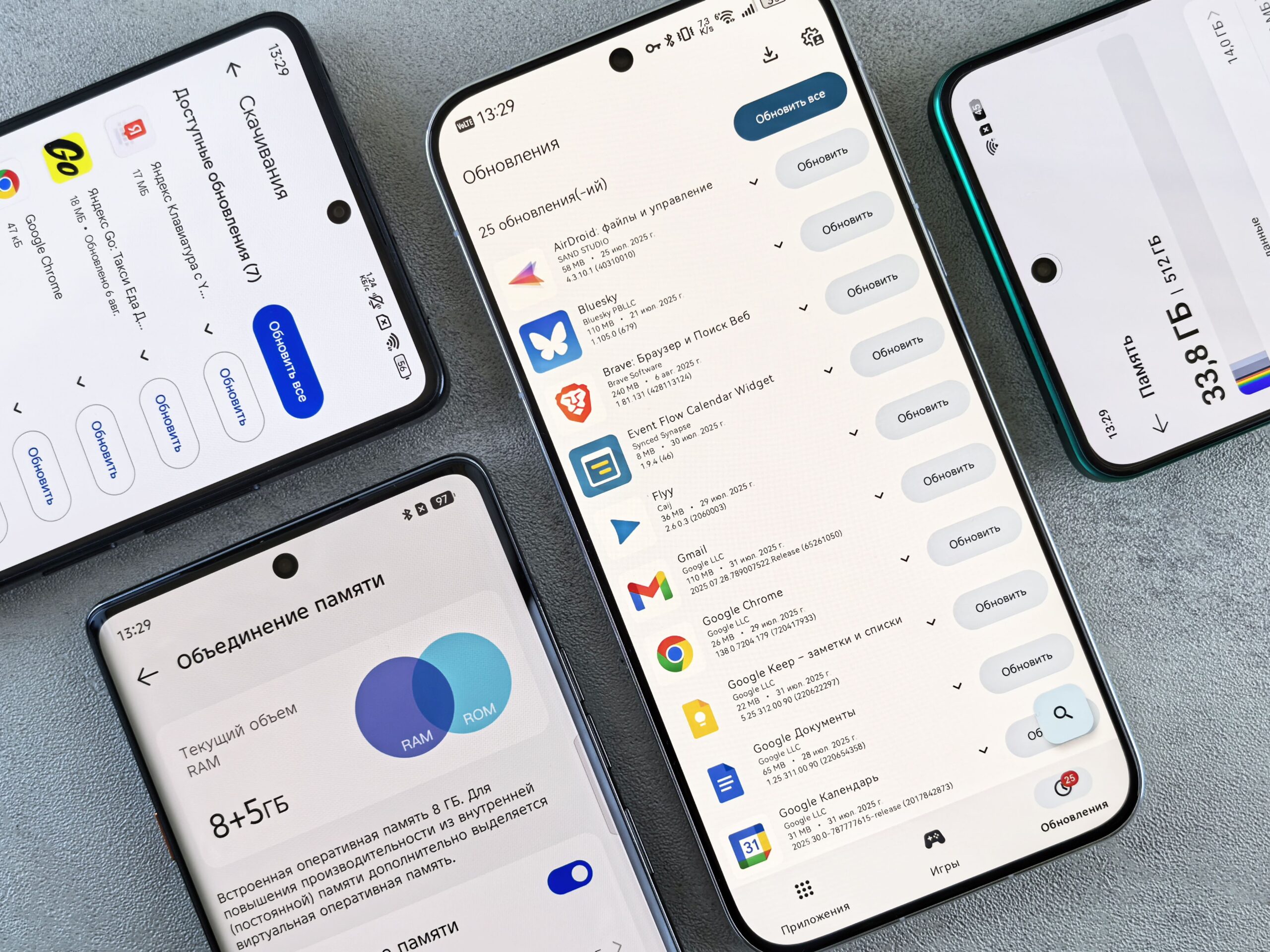
What About Virtual RAM?
Many smartphone manufacturers now advertise virtual RAM or RAM expansion features. These features use a portion of internal storage to simulate additional RAM.
While this can sometimes help with keeping more applications available, it should not be treated as a replacement for physical RAM. In other words, 8GB of physical RAM plus virtual RAM is not equivalent to having 12GB or 16GB of physical RAM. Therefore, when comparing smartphones, prioritize the actual physical RAM capacity before considering virtual RAM features.
Should You Choose More RAM or More Storage?
Choosing between more RAM and storage depends on how you use your smartphone. Therefore, focus on the area where your current phone struggles most.
- Choose more RAM if: Your phone frequently reloads apps or struggles with multitasking.
- Choose more storage if: You often receive low-storage warnings or keep many photos, videos, games, and documents.
- Prioritize performance: Gamers, professionals, and heavy multitaskers can benefit from additional RAM.
- Prioritize capacity: Photographers, content creators, and users who store large files should consider more storage.
- Best balanced option: 8GB RAM with 128GB or 256GB storage is suitable for many users.
Should You Buy a Phone With Expandable Storage?
Expandable storage can give you additional space without upgrading your entire phone. However, because many newer smartphones no longer support microSD cards, check this feature before buying.
- Check microSD support: Confirm whether the specific phone accepts a memory card.
- Consider your needs: Expandable storage is useful for photos, videos, music, and documents.
- Check supported capacity: Some phones may have limits on the size of memory card they support.
- No microSD slot: Consider buying 256GB instead of 128GB for greater flexibility.
- Long-term benefit: More built-in storage can reduce the need to constantly delete files.
Why Storage Matters More Than You Think
While RAM affects multitasking, storage determines how much content you can keep on your smartphone. Consequently, having enough storage can make your phone more convenient to use over several years.
- Apps and games: Modern applications and games can take up significant space.
- Photos and videos: High-resolution cameras create larger files.
- Documents: Students and professionals may store many PDFs, presentations, and work files.
- Long-term use: More storage is useful if you plan to keep your phone for three or four years.
- Avoid constant deleting: Choosing sufficient storage from the beginning reduces the need to regularly remove important files.
Common RAM and Storage Buying Mistakes
Choosing the right RAM and storage can help you get better value from your smartphone. However, avoid these common mistakes when making your purchase:
- Choosing RAM Based Only on the Number: More RAM does not automatically mean better performance. Also consider the processor, software optimization, and overall hardware.
- Buying Too Little Storage: A 64GB or 128GB phone may seem affordable, but it can fill up quickly if you store many photos, videos, games, and applications.
- Paying for RAM You Do Not Need: Buying 16GB RAM for basic WhatsApp, browsing, calls, and streaming may be unnecessary.
- Ignoring Storage Speed: Storage capacity is important, but storage technology can also affect app loading and overall responsiveness.
- Forgetting Future Needs: Your storage and performance requirements may increase over time. Therefore, consider how you expect to use the phone two or three years from now.
How to Choose the Right Configuration for You
The right RAM and storage combination depends on your usage, budget, and how long you plan to keep your smartphone. Therefore, consider these points before making your purchase:
- Assess your daily usage: Consider the apps you use, whether you play games, and how frequently you take photos or videos.
- Consider your storage needs: If you keep many files, videos, photos, or games on your phone, choose higher storage.
- Think about multitasking: If you frequently switch between demanding applications, consider 8GB RAM or more.
- Consider how long you will keep the phone: For a short-term upgrade, a basic configuration may be enough. However, for long-term use, investing in more RAM and storage can be worthwhile.
- Compare complete specifications: Look at the processor, display, battery, cameras, RAM, storage, and software support rather than focusing on one specification.
- Stay within your budget: More RAM and storage can increase the price, so choose a configuration that provides the best value for your actual needs.
Finding the Right RAM and Storage Balance
For most smartphone buyers, 8GB RAM with 128GB or 256GB storage is a strong starting point. It provides enough memory for multitasking while offering comfortable storage for applications, photos, videos, and documents.
However, basic users can save money with 4GB to 6GB RAM and 64GB to 128GB storage. Meanwhile, gamers and professionals may benefit from 8GB to 12GB RAM, while content creators and heavy users can consider 12GB to 16GB RAM with 256GB to 512GB storage.
Ultimately, this smartphone RAM guide shows that the best configuration is not the one with the biggest numbers. Instead, it is the combination that matches your usage, budget, and expected lifespan of the phone.
Shop the Right Smartphone at Mobile Phone Shop Kenya
Choosing the right RAM and storage configuration is easier when you have reliable options to compare. Whether you need an affordable smartphone for everyday communication, a powerful device for gaming, or a high-storage phone for content creation, Mobile Phone Shop Kenya can help you find a device that matches your needs and budget. Explore available smartphones, compare their specifications, and choose a quality device with the RAM and storage capacity you need for smooth, reliable use.